Microsoft 365 Copilot is moving beyond individual prompts. Many organizations are now using Copilot agents to answer questions, retrieve business information, support workflows, and help employees complete tasks faster.
As agent usage grows, Microsoft 365 admins need visibility into which agents are being used, how many users are active, whether adoption is increasing, and which agents need governance review.
That is where the Microsoft 365 Copilot Agent usage report in the Microsoft 365 admin center becomes useful.
What is the Copilot Agent usage report?
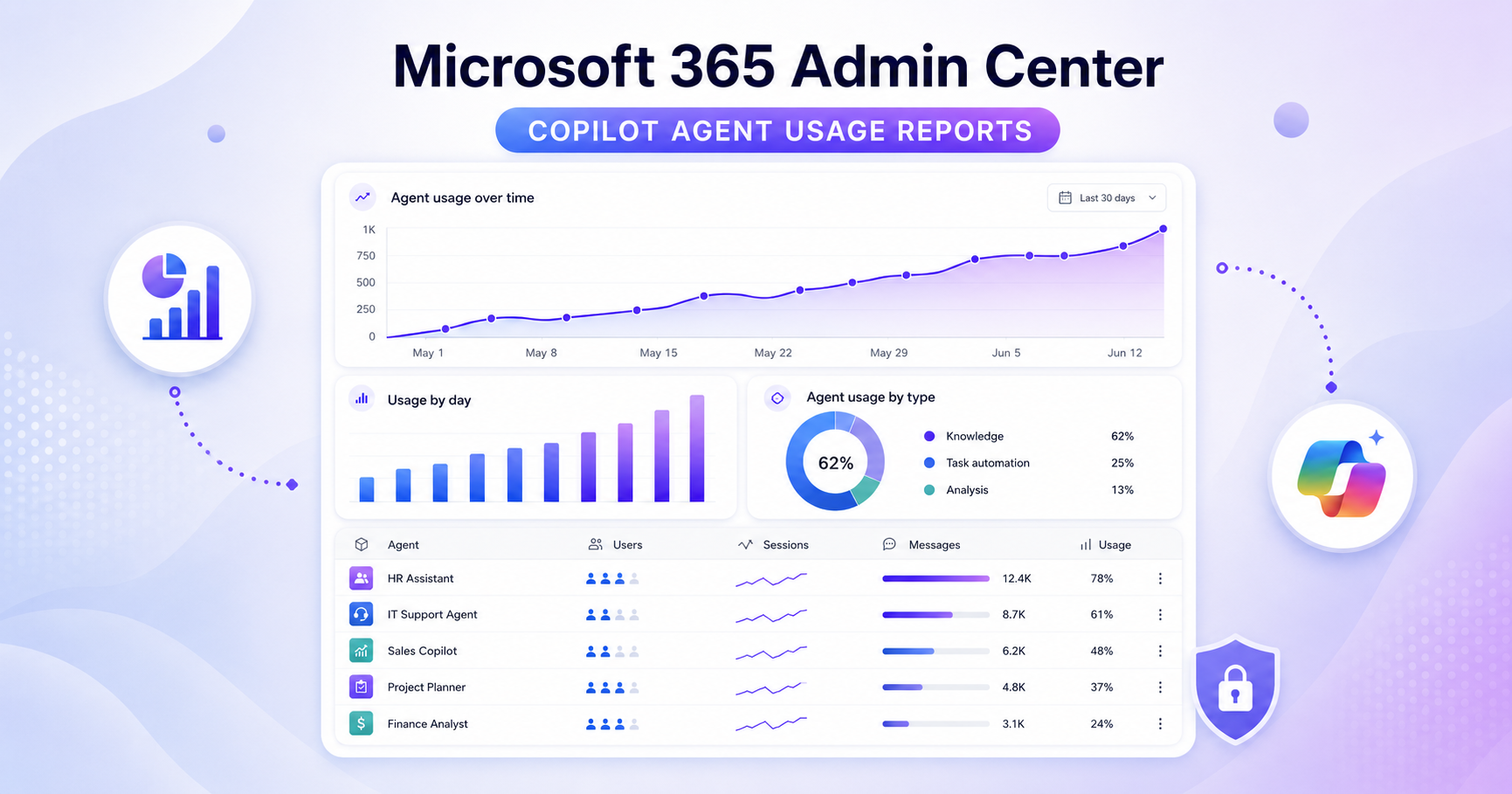
The Microsoft 365 Copilot Agent usage report helps admins understand how Copilot agents are being used across the tenant.
Instead of relying only on feedback or manual checks, admins can review agent activity from the Microsoft 365 admin center.
The report helps answer:
Which agents are being used?
How many users are using agents?
Is adoption increasing?
Which agents are getting low or no usage?
Which agents need governance, training, or cleanup?
This matters because AI agents can quickly become part of daily work. Without reporting, admins may not know whether agents are delivering value or creating governance gaps.
Where to find the report
Admins can find it here:
Microsoft 365 admin center → Reports → Usage → Microsoft 365 Copilot → Agents
This gives IT, adoption teams, business leaders, and compliance teams a central place to review Copilot agent usage.
Why this report matters
Copilot agents can help employees find information, summarize knowledge, answer common questions, and automate repeated work.
But as more agents are created, admins need a way to manage them properly.
The report supports:
Adoption tracking
AI governance
Agent lifecycle management
User training decisions
Ownership review
Security and compliance review
Cleanup of unused agents
Copilot rollout planning
It is not just a usage report. It helps admins understand where agent activity is growing and where governance attention is needed.
Which agents are included?
The report focuses on agents used with Microsoft 365 Copilot.
This may include:
Agents built with Microsoft Copilot Studio
Agents built with Teams Toolkit
Admin-approved agents
Agents used in Microsoft 365 Copilot experiences
Agents used in Copilot in Word and PowerPoint
However, not every agent type may be included yet. SharePoint agents and some Microsoft or partner-built agents may not be fully reflected depending on Microsoft’s reporting scope.
So admins should use this report as an important signal, but not the only source of truth for every agent across Microsoft 365.
What admins should review
Admins should look at the report from both adoption and governance angles.
Start with:
Active agents
Active users
Frequently used agents
Low-usage or unused agents
Adoption trends
Business units using agents
Agents needing ownership review
Agents needing permissions review
High-use agents may need stronger documentation, support, monitoring, and ownership.
Low-use agents may need training, improvement, or retirement.
Fast-growing usage may indicate that policies, permissions, support, and governance processes need to be reviewed.
How this supports AI governance
AI governance is not only about enabling Copilot. It is about understanding how AI is used across the organization.
Copilot agents may access business data, answer user questions, and support workflows. That makes visibility important.
The usage report helps admins identify:
Which agents are becoming business-critical
Which agents have strong adoption
Which agents are unused or abandoned
Which agents need clearer ownership
Which agents require permissions review
Which departments need more training
This helps organizations manage agents as business assets, not just optional AI tools.
Recommended admin actions
Admins should include this report in regular Microsoft 365 governance reviews.
A practical process:
Review agent usage weekly or monthly.
Identify high-use agents.
Confirm owners for important agents.
Review permissions and data access.
Check whether documentation exists.
Compare usage with the Copilot rollout plan.
Improve training where adoption is low.
Retire unused or duplicate agents.
Share insights with business teams.
Include agent usage in AI governance meetings.
Use it with other governance tools
The agent usage report is useful, but it should not be used alone.
Combine it with:
Microsoft Purview
Audit logs
Sensitivity labels
DLP policies
SharePoint permissions
Teams app governance
Power Platform controls
Copilot readiness reports
Copilot usage reports
Security and compliance reviews
An agent may have high adoption, but admins still need to confirm that it has the right permissions, data boundaries, ownership, and lifecycle controls.
Final takeaway
The Microsoft 365 Copilot Agent usage report gives admins a practical way to track agent adoption and governance needs.
It helps organizations understand which agents are being used, how adoption is developing, and where action is required.
For Microsoft 365 admins, the goal is not only to measure usage. The real goal is to make sure Copilot agents are useful, secure, governed, and aligned with business needs.
A simple approach works best:
Track usage.
Review active agents.
Confirm ownership.
Check permissions.
Train users.
Retire what is not needed.
Govern agents as part of the wider Microsoft 365 AI strategy.
As Copilot agents become part of everyday work, visibility becomes essential. The agent usage report is one of the first places admins should review.
Comments
Join the discussionNo comments yet. Be the first to comment.